TimeCard
Work Hours & Pay
Log a shift in three taps and see exactly what it pays.
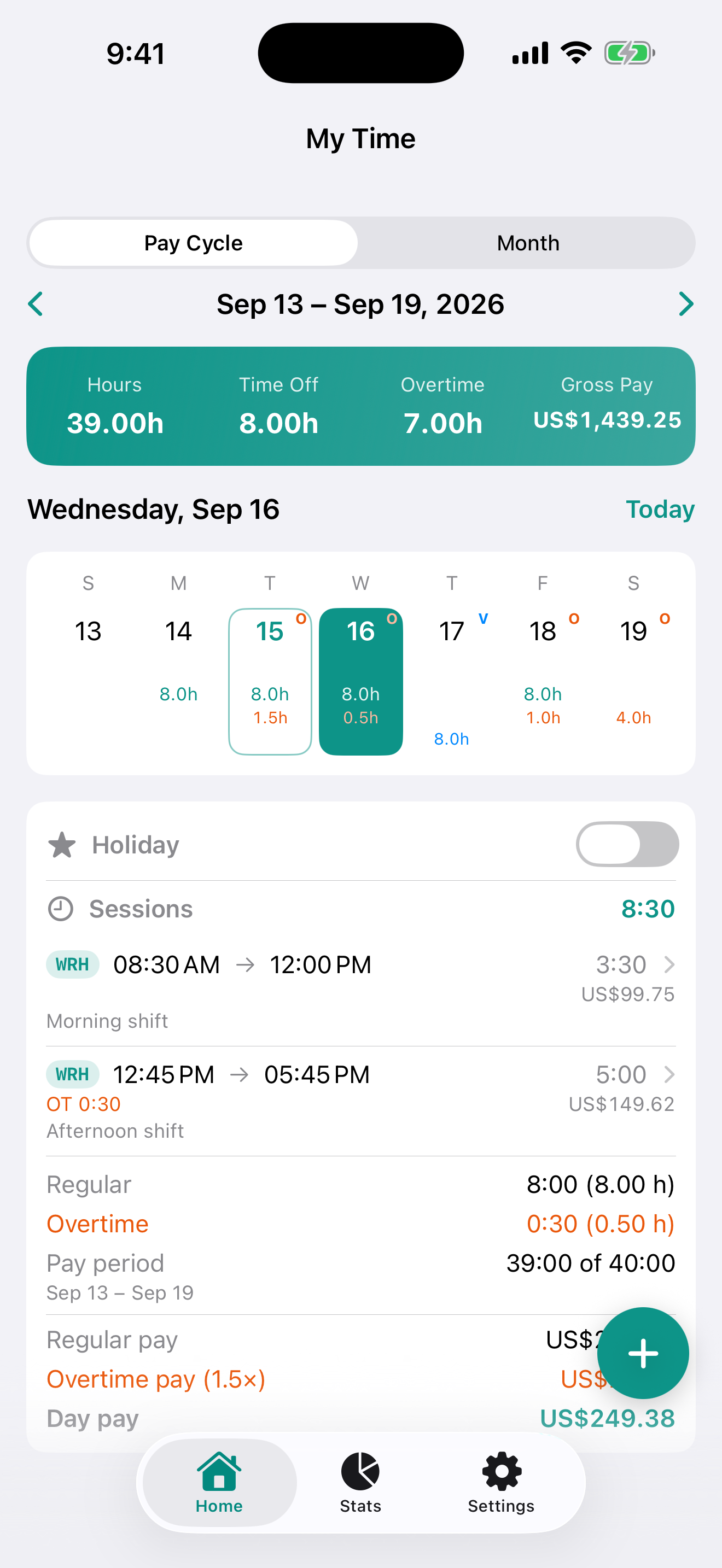
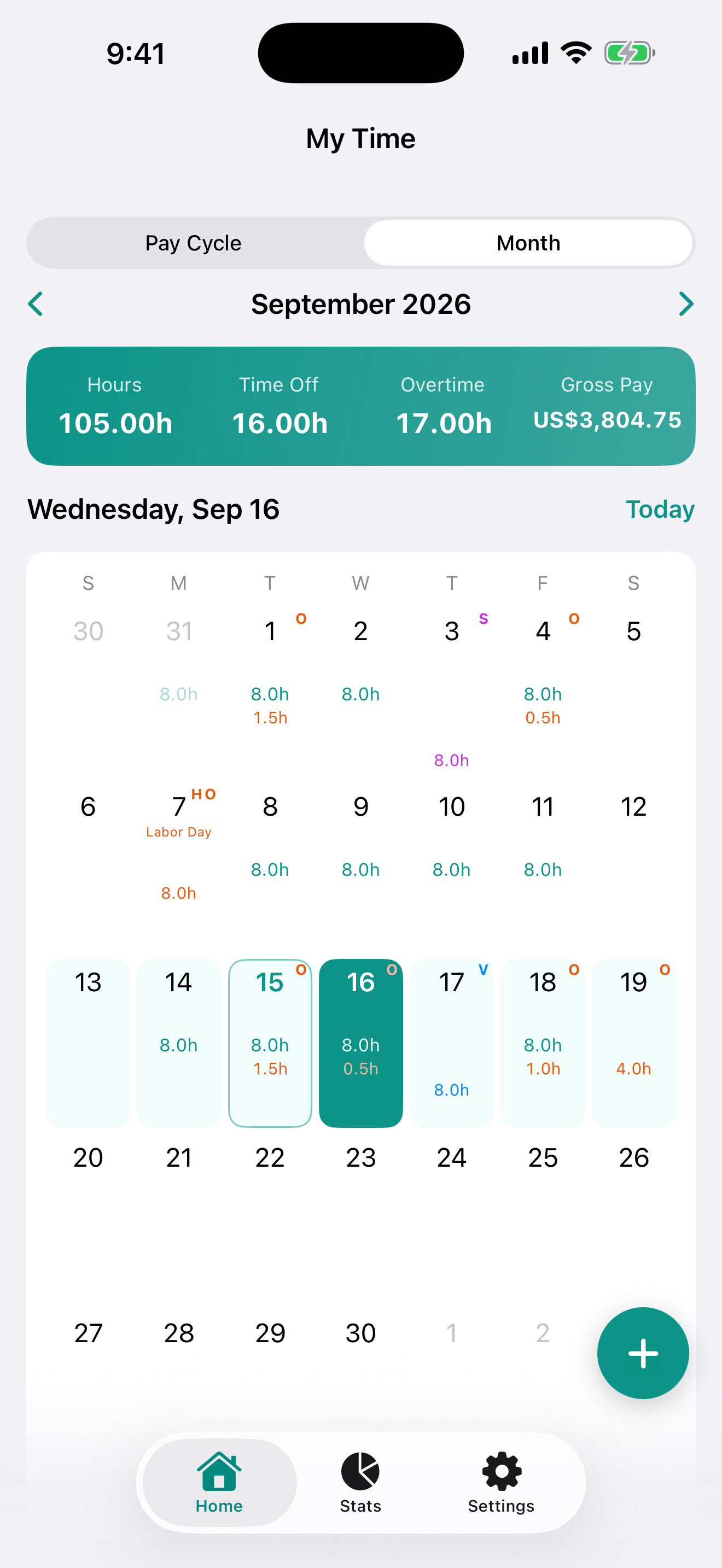
TimeCard opens on the pay period you are in right now — weekly, bi-weekly, or monthly — with every day's hours on a calendar and the period's gross pay across the top. Overtime resolves against your own rules, holidays follow your state or province, and any span exports to Excel. No account, no sign-up, no sync.
- Pay cycles
- 4
- Regions
- US / CA
- Export
- Excel
What it does
A timesheet for people paid by the hour — built for nurses, servers, drivers, tradespeople, retail and warehouse staff, and anyone working two jobs.
Clock in, clock out
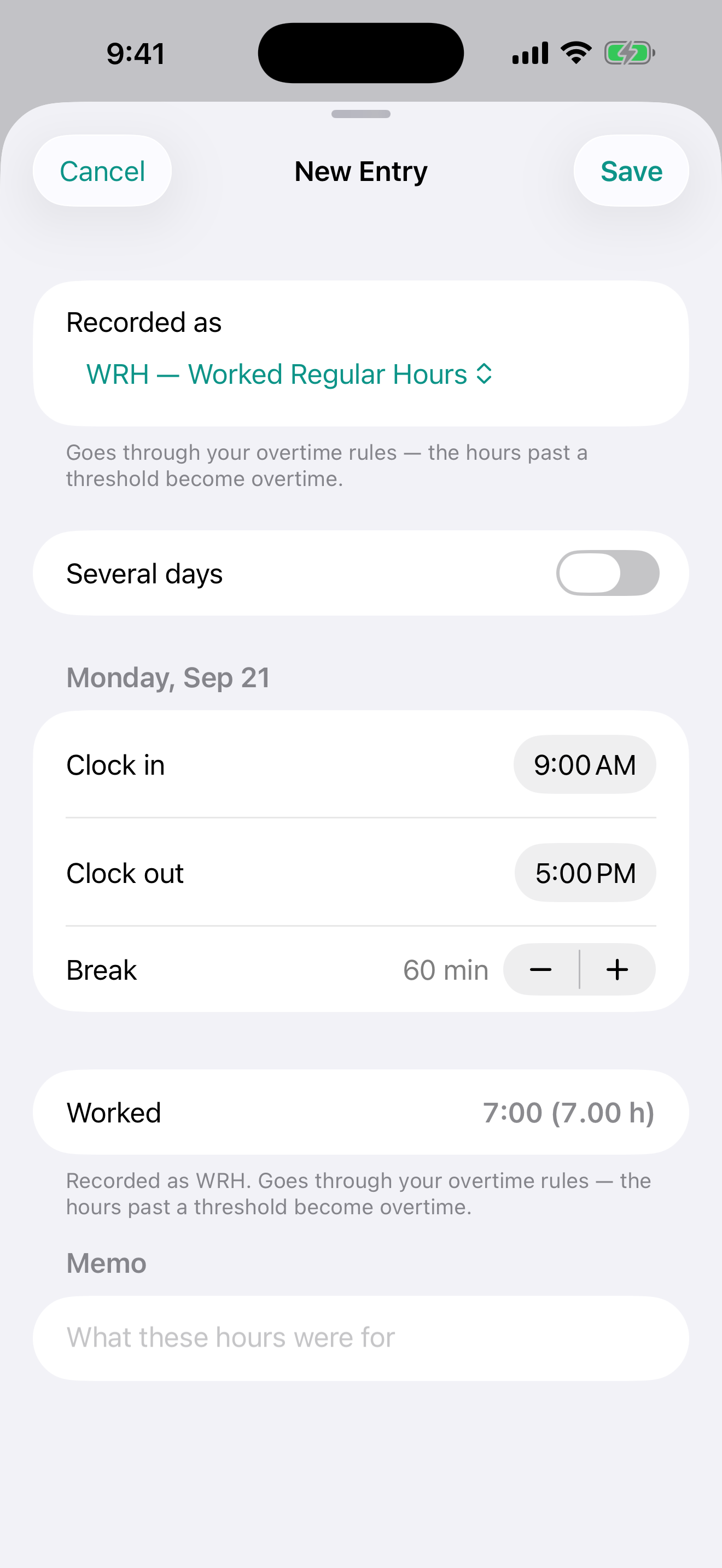
Log a shift in three taps — in, out, break. Overnight shifts are handled, and overlapping entries are caught before you can save them.
Overtime that matches your rules
Daily, weekly, both, or off — with your own thresholds and multiplier. Resolved across the whole pay period, so a week spilling into the next month still counts correctly.
Pay codes for the whole timesheet
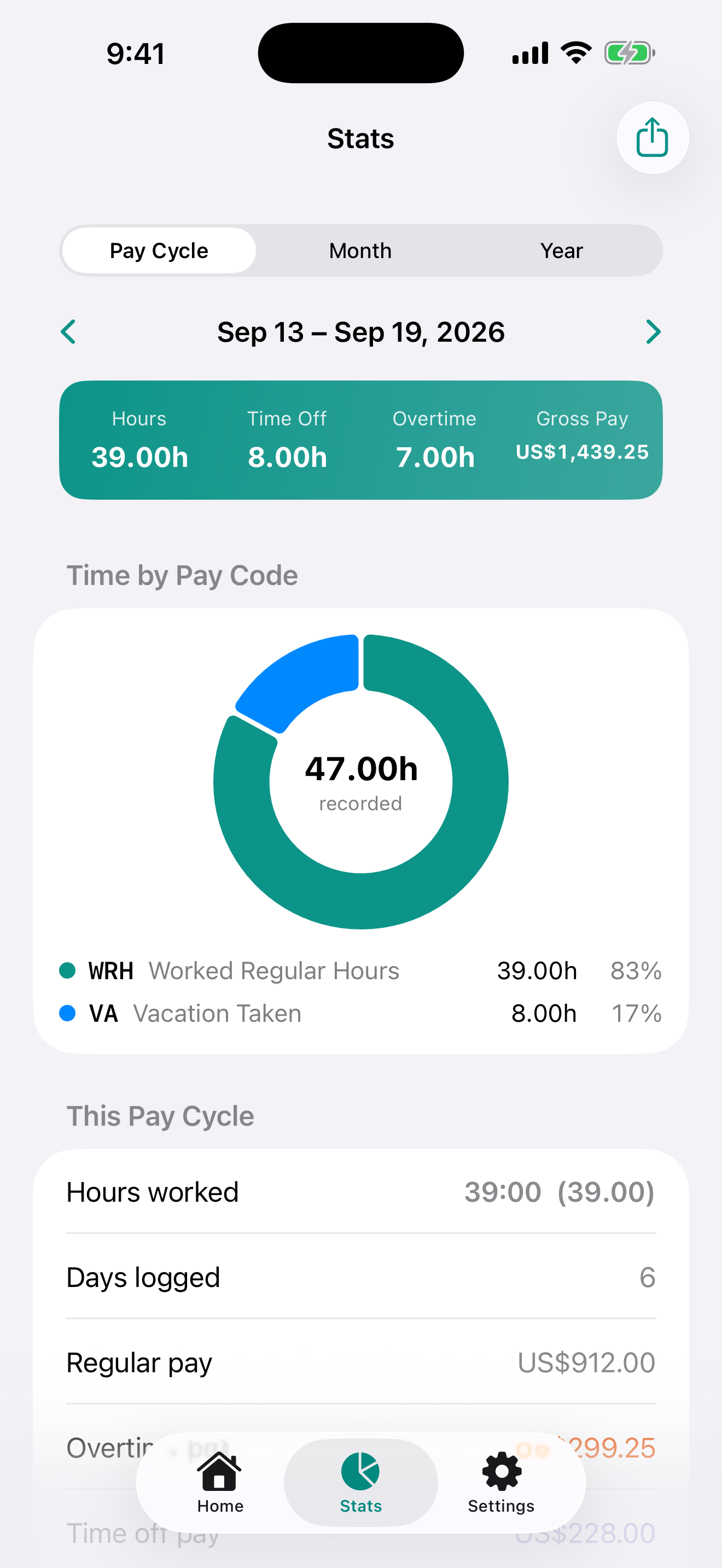
Vacation, sick days, holidays, unpaid leave or premium overtime — each with its own colour, badge and rate. Paid time off never eats into an overtime threshold.
Holidays for your state or province
Built-in calendars for all 50 US states and DC, and for every Canadian province and territory — federal days plus the local ones.
See where the money went
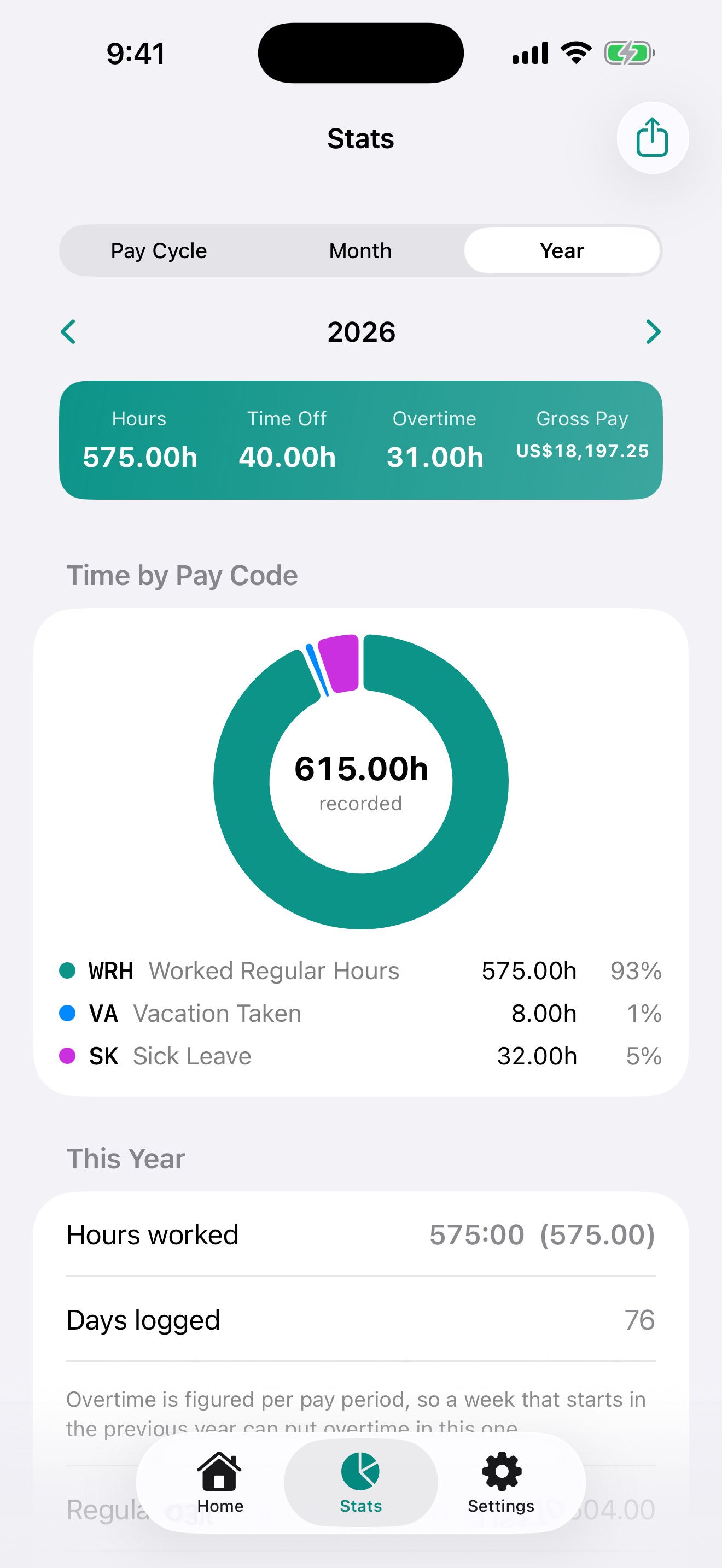
A pay cycle, month or year broken into regular, overtime and gross pay, days worked, and a ring chart of hours per pay code.
Export to Excel — free
Any pay cycle, month or year as an .xlsx workbook: a summary sheet, a row per day, a row per entry. Not a paid feature.
Overtime, resolved the way your employer resolves it
Most timesheet apps flag overtime per entry and call it done. TimeCard resolves it against the whole pay period first, so a weekly threshold reached earlier in the week is respected before a single hour is marked overtime — and a week that spills into the next month still counts correctly.
Daily, weekly, both, or off. Pick the mode your employer actually uses.
Your thresholds and multiplier. 8h a day, 40h a week, 1.5× or 2× — whatever applies.
Shared out in clock-in order. The latest punches of the day are the overtime ones.
Every shift shows its split. Regular vs. overtime hours and what each portion earns.
Built for the US and Canada
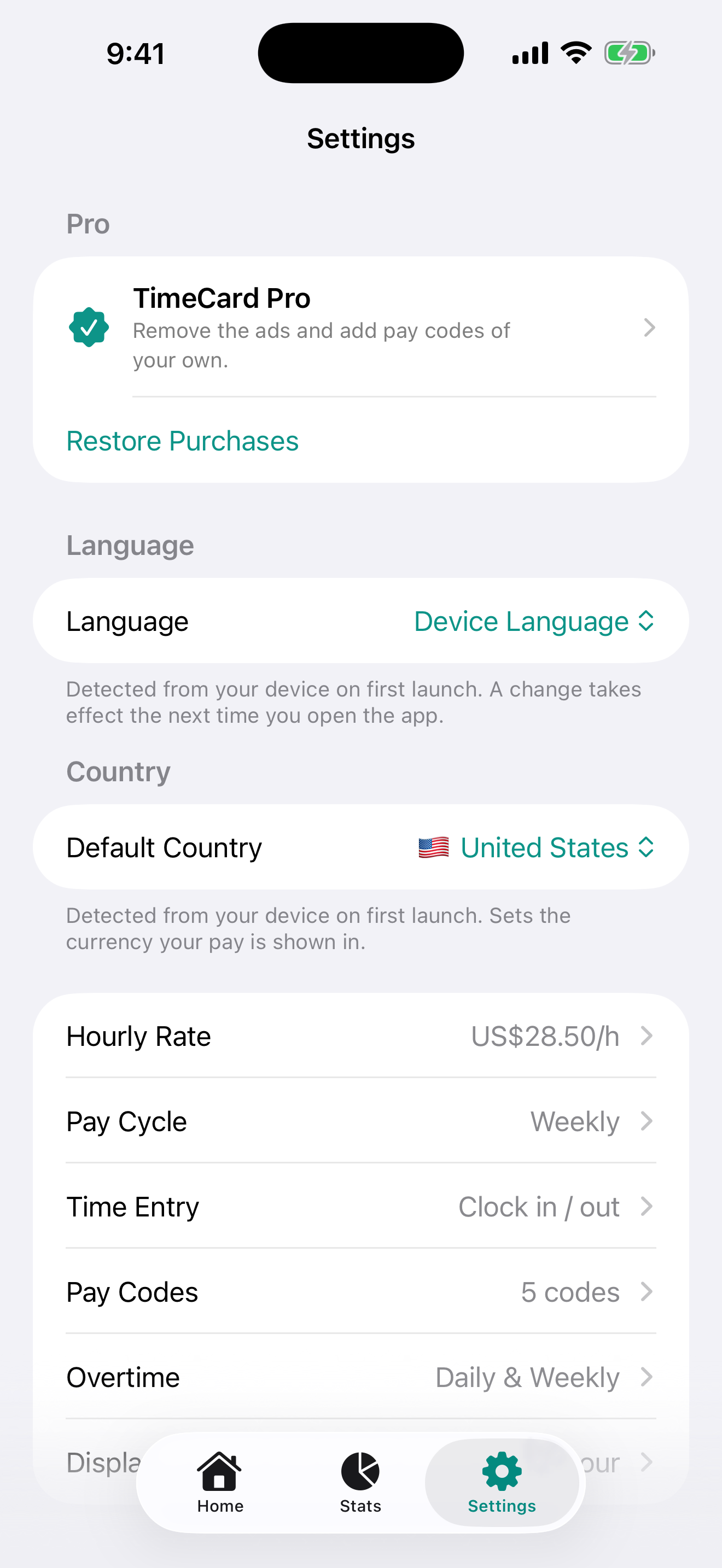
Set your country once — TimeCard reads it from your device on first launch — and holidays, currency and defaults follow.
Holiday calendars
All 50 US states plus DC, and every Canadian province and territory.
Currency
USD or CAD, detected from your device region on first launch.
Overtime defaults
Weekly mode, 40-hour threshold, 1.5× multiplier — all adjustable.
Pay cycles
Weekly, bi-weekly, monthly or hourly/daily — pick what your employer uses.
Time format
12- or 24-hour clock, 1 to 3 decimal places for hours.
Week start
Sunday or Monday, wherever the calendar grid should begin.
A look inside
Scroll for more screens →
Private by default
No account, no login, no cloud. Your hours are stored on your device and none of them are uploaded — the app works in airplane mode.
Read the privacy policy3 languages
The whole app — calendar, stats and settings — follows your system language.
- English
- Español
- 简体中文
Free and Pro
The app is free, with one small banner on two screens. Unlimited shifts, overtime rules, holidays, stats and Excel export are all free — Pro removes the ads and unlocks pay codes of your own.
All four plans grant the same thing — which one paid for it is only ever shown in Settings. Hours logged while subscribed keep paying out if the subscription lapses.
Found a bug, or need a feature for your job?
TimeCard is actively developed. Tell us what you need and it may land in the next release.
Get in touch